Prerequisites
- API Key: Obtain your API key from the Atla dashboard
Configuration
Configure your API key as an environment variable:Example
Documentation Index
Fetch the complete documentation index at: /llms.txt
Use this file to discover all available pages before exploring further.
You are viewing v1 docs. For the latest documentation, visit docs.agno.com
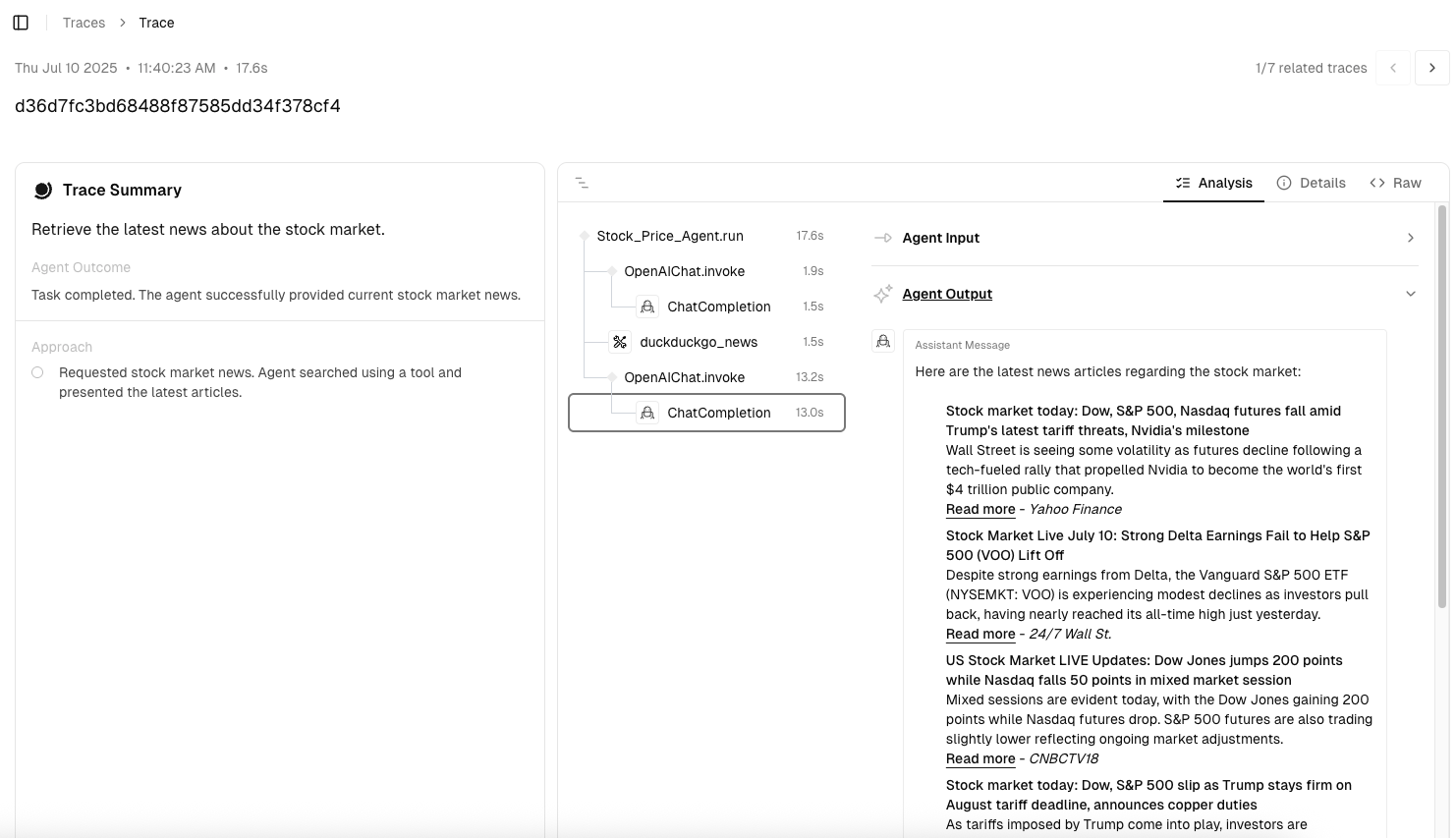
Integrate Atla with Agno for real-time monitoring, automated evaluation, and performance analytics of your AI agents.
pip install "atla-insights"
export ATLA_API_KEY="your_api_key_from_atla_dashboard"
from os import getenv
from agno.agent import Agent
from agno.models.openai import OpenAIChat
from agno.tools.duckduckgo import DuckDuckGoTools
from atla_insights import configure, instrument_agno
# Step 1: Configure Atla
configure(token=getenv("ATLA_API_KEY"))
# Step 2: Create your Agno agent
agent = Agent(
name="Market Analysis Agent",
model=OpenAIChat(id="gpt-4o-mini"),
tools=[DuckDuckGoTools()],
instructions="Provide professional market analysis with data-driven insights.",
debug_mode=True,
)
# Step 3: Instrument and execute
with instrument_agno("openai"):
response = agent.run("Retrieve the latest news about the stock market.")
print(response.content)

Was this page helpful?